Tuesday, 25 June 2019

The Best iOS 13 and iPadOS 13 Features for Developers


iOS 13 and iPadOS 13 both include a fair share of features targeted at the average Joe, but what if you’re more than that? Developers are what shapes a platform. Without them, your platform will shrivel and rot, like we’ve seen in the past with Windows Phone. Without developers, there are no apps and without apps, no customers. The cycle continues as with no customers, there are no developers to code the software.

Thankfully, Apple’s platforms do not have issues with developer interest. They even pack a lot of features specifically targeted at them to make developing apps easier. iOS 13 and iPadOS 13 both include many new features that could be useful if you like to code.
iOS 13 and iPadOS 13 Features for Developers
SwiftUI


iOS 13 and iPadOS 13 both feature support for Apple’s latest and greatest of goodies for developers; SwiftUI. This framework will allow you to code the UI of your apps using Swift code as well as fill in a lot of support gaps automatically, like resizable elements and automatic compatibility with some future features.

The best part about SwiftUI is that the code is very reusable across Apple platforms. While UIKit on macOS already fills this gap to a big extent, SwiftUI is a more forward-thinking solution. New “proper” macOS apps can be written using SwiftUI then later be ported to some extent to the iPad making it a mutually beneficial relationship. It, of course, goes both ways.
NFC Is Getting an Upgrade


Apple is finally opening up the NFC chip with iOS 13 and iPadOS 13. Not only will apps be able to read the code from NFC cards, but they’ll also be able to write to them, meaning things like Google Pay could, in the end, come to the iPhone. Public transport apps (Like Transport for London) could integrate their tickets right into their apps. This change is for the iPhone 7 and up and developers can already start testing these new features in the latest Developer Betas.
ARKit 3


While consumers might not be as interested in Augmented Reality, ARKit 3 is still a big thing for developers. With RealityKit and RealityCompose, Apple is introducing powerful tools. The tools help you set the scene, import 3D assets and sound sources, while detailing how those objects will interact with user input and their environment
Siri
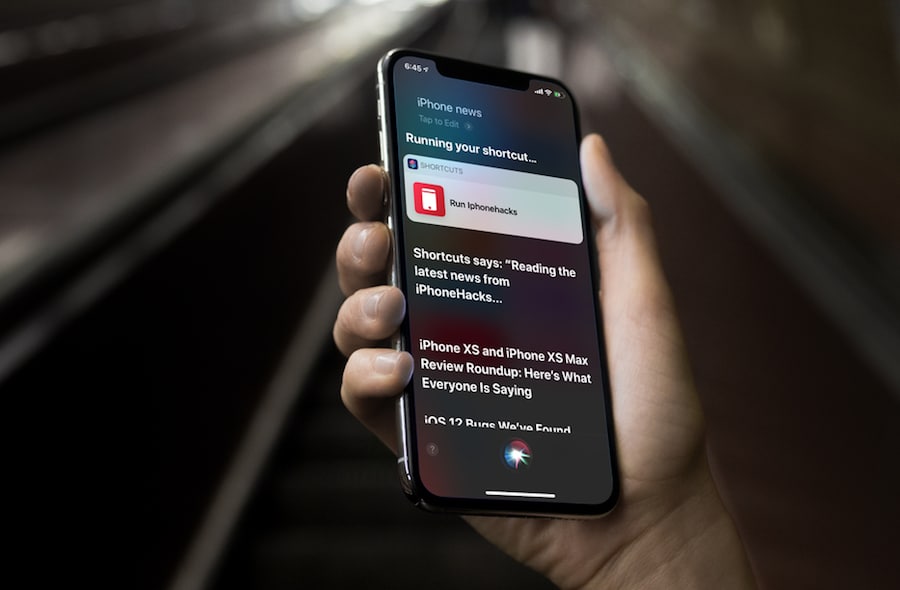


Siri has long been seen as the prettier but much dumber sister of Alexa or Google Assistant. And this is due to a plethora of things, one of them being unable to integrate third-party music players, podcast apps and more, with Siri. This is finally changing in iOS and iPadOS 13 with SiriKit for audio. Developers can now integrate their audio media apps directly into Siri’s system, just like she should have for years by now.
Project Catalyst


While not directly an iPadOS or iOS 13 feature, it’s worth a mention. Project Catalyst, also known as Marzipan and UIKit on Mac, is Apple bringing the development tools for iPad apps to macOS. Apple first introduced this feature in macOS Mojave, however, the tools were mostly restricted or unofficial. Now, everyone can compile their iOS app for macOS with often a single click.

We’ve already seen companies like Twitter embracing it, and developers do crazy things like to run Cydia on macOS.
Conclusion

iOS 13 and iPadOS 13 still have a long way to go before they can be considered “developer friendly”. They have, however, come much closer to reaching that label thanks to Apple’s latest and greatest software. Apple is slowly opening up where needed and expanding important features further.

Did we miss any new cool features that you, as a developer, appreciate? If so, let us know in the comments section below and we’ll make sure to add that as well.\

Sponsor ads:

Gihosoft RePicvid Free Photo Recovery Software provides a free photo recovery software for windows to help users recover the deleted or lost photo for free.

If you lost data after you updated to a new iPhone, you can always use Gihosoft iPhone Data Recovery to get the data back from the old iPhone or backup.You may also like: iphonerecovery.com

iPhone Manager:Get the ultimate Gihosoft iPhone Manager. Free download for PC/Mac.

Read more:Go Live on Tik Tok/Musical.ly in 2019

Read more:best youtube downloader


Check out our other articles to discover all the new iOS 13 and iPad OS features:


100+ New iOS 13 Features


All the iOS 13 and iPadOS 13 Gestures You Must Know

Apple Sued for an Apartment Fire That Took a Man’s Life, the Lawsuit Blames iPad


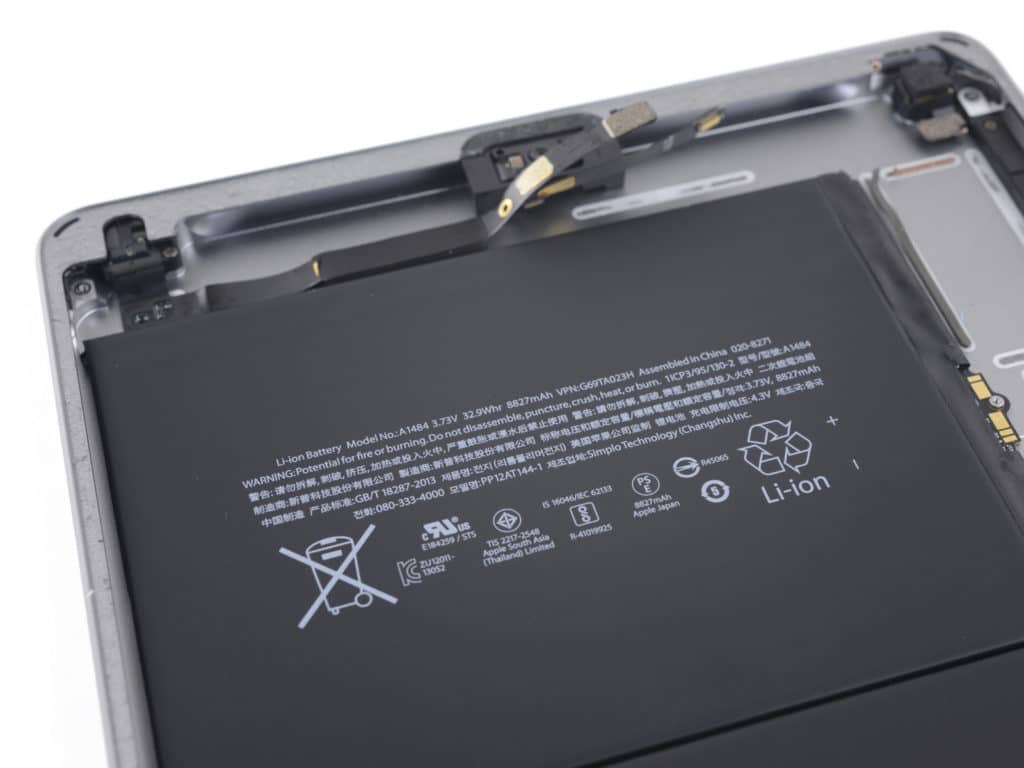
We have reported about several incidents where the iPad or the MacBook battery has caught fire. In a recent turn of events an apartment and Insurance company have jointly sued Apple. The complaint alleges that a faulty iPad battery is to be blamed for the fire which took a New Jersey man’s life.

The lawsuit accused Apple of “ultrahazardous responsibility” and adds that iPads “were inherently dangerous and were capable of igniting and causing a fire, even if properly in use within the tablet.” Bradley Ireland died after a fire in his apartment on 22 February 2017.

According to the lawsuit, the iPad is the cause of the fire and it “was unreasonably dangerous and unsafe for its intended purpose by reason of defects in its design and/or its manufacture.” It is worth noting that Apple has recently announced voluntary recall for select 15- inch MacBook Pro models. Apple is concerned that the 15-inch MacBook Pro models may overheat due to a faulty battery.
Our Take

We have all heard numerous incidents of lithium-ion batteries causing a fire. The Samsung Galaxy Note 7 debacle was perhaps one of the worst in the history of the tech industry. Last year Amazon recalled hundreds of thousands of lithium-ion power packs.

This raises a very important concern, are lithium-ion batteries inherently prone to overheat and cause a fire? Well, the Galaxy Note 7 investigation squarely puts the blame on manufacturing defects (as do reports in most of the other cases). Since batteries are becoming more advanced and the devices more compact, manufacturers are trying to pack more power in a relatively smaller package.

The cathode and the anode on the lithium-ion batteries are separated by a thin polyethylene separator. In compact batteries, the separator is thinner and is prone to a short circuit, which is apparently one of the biggest reason for causing a fire. That being said, variables like electricity supply, genuine charger and ventilation play a major role in such cases. As consumers, we can adopt certain practices like using certified chargers in the interest of our safety.Sponsor ads:

Gihosoft RePicvid Free Photo Recovery Software provides a free photo recovery software for windows to help users recover the deleted or lost photo for free.

If you lost data after you updated to a new iPhone, you can always use Gihosoft iPhone Data Recovery to get the data back from the old iPhone or backup.You may also like: iphonerecovery.com

iPhone Manager:Get the ultimate Gihosoft iPhone Manager. Free download for PC/Mac.

Read more:Go Live on Tik Tok/Musical.ly in 2019

Read more:best youtube downloader


[via TheRegister]

Tuesday, 14 May 2019

Many iTunes Films Are Reverting From 4K Down to HD, But it May be a Bug


Eagle-eyed individuals have noticed that, over the last few days, many films in iTunes have been reverted to high definition (HD). In those cases, these films were previously available in 4K, which is causing headaches for some.

9to5Mac was first with the report this week, following a list made by “ManOfTheForest” over at Blu-Ray Forums that aims to show which films have been downgraded in visual quality. When the report first broke, it looked like the films were primarily from Warner Bros., with films like the Harry Potter series, the sequels to the original The Matrix, and others being downgraded.

Here is that list:


22 Jump Street (2014)


About Last Night


Aloha (2015)


American Sniper


Annie (2014)


Batman vs. Superman


The Brothers Grimsby (2016)


The Equalizer (2014)


Fast & Furious 6 (2013)


Ghostbusters II (1989)


Goosebumps (2015)


Harry Potter and the Deathly Hallows, Part 2 (2011)


Harry Potter and the Chamber of Secrets (2002)


Harry Potter and the Deathly Hallows, Part 1 (2010)


Harry Potter and the Goblet of Fire (2005)


Harry Potter and the Half-Blood Prince (2009)


Harry Potter and the Order of the Phoenix (2007)


Harry Potter and the Sorcerer’s Stone (2001)


Harry Potter and the Prisoner of Azkaban (2004)


Hercules (2014)


Hitch (2005)


Hotel Deluxe (2013)


Matrix Reloaded


The Matrix Revolutions (2003)


Risen (2016)


Spaceballs (1987)


Taxi Driver (1976)


Unforgiven (1993)


The Walk (2015)


X-Men: Days of Future Past (2014)

Indeed, this publication can also confirm that originally listed 4K films have been downgraded to HD at the time of publication.

The report indicates that Apple Support has suggested this is an issue on WB’s side. However, it has since been discovered that other films from other production companies, including MGM, 20th Century Fox, and others, are also inflicted with the issue. And, as noted above, some films in a series are not included in the downgrade.

This definitely appears to be a bug on the side of iTunes, and not necessarily anything nefarious on the side of production companies. Still, we’ll keep an eye out and we’ll update this article if anything else changes.

[via 9to5Mac; Blu-Ray Forums]

Also Read:10 Websites to Watch Indian Live Television

Also Read:10 Best FRP Bypass APKs to Bypass Google Account Verification on Android

Also Read:Top 19 Best Websites Like VipBox for You to Watch Sports Stuff in 2019

Also Read:6 Best Free Photo Editing Apps for iPhone/iPad (2019)

Also Read:hack facebook account

Also Read:free photo editing apps for iphone

Also Read:How to Call Private on Android – 4 Trusted Methods

Does SideSync FRP Bypass Work?


Does SideSync FRP Bypass Work?

FRP stands for Factory Reset Protection which is a tool designed by Google to ensure the security restrictions of any smartphone. These settings will help you to keep your mobile by any unauthorized person. However, SideSync can bypass these FRP settings to unlock your mobile phone in case if you have forgotten your Google account’s details.

SideSync is a tool which is designed by Samsung to sync data between your mobile and computer. It is available to bypass FRP on some limited Samsung device models.


To use SideSync for FRP bypass, follow the steps below:


Download the SideSync application and install it.


Grab a USB cable to connect your mobile with your PC.


Selecting Chrome when it prompts.


Type the link https://goo.gl/iao0ya to download the APK file for FRP bypass.


Then return to the Chrome and Galaxy Apps page, click OK.


Search ES file explorer and download it. You need to create or use a Samsung account for this step. Once you have done with installing ES file explorer open it.


Go to the download folder to install the APK file. If installation is blocked, go to Settings and check Unknown sources.


Now go to Settings and press Backup and Reset to get rid of the FRP.

Cons of SideSync FRP Bypass

This method is available for Samsung mobile phones only, not all models are supported.

It only works on Android 5.1.1 and below.

The process is too complicated if you don't know too much about phone tech.Also Read:Watch Soccer Live on TV

Also Read:movie4k alternatives

Also Read:10 Websites to Watch Indian Live Television

Saturday, 4 May 2019

How to Edit Siri Requests on iOS and macOS


As regular users of Siri will know, Apple's virtual assistant doesn't always interpret spoken queries and commands with one hundred percent accuracy, even after you've trained it to recognize your voice.


Certain words and phrases that you say may even be repeatedly misheard by Siri, usually ending up with the same useless responses. Fortunately, you can edit what Siri heard on both iOS and macOS.


If you're using an iPhone or iPad and Siri misinterprets your query or command, use the Tap to Edit button that appears immediately below the transcription. This will bring up the onscreen keyboard, allowing you to directly edit the text.


At this point, Siri will recognize that it got something wrong and offer you one or more possible corrections to select from under the heading Maybe you said....


You can perform the same corrective when using Siri on Mac, too. Simply click your transcribed request to edit the text and then press Enter when you're done, or select one of the alternative interpretations provided by Siri immediately below it.
Sponsor ads:

Gihosoft RePicvid Free Photo Recovery Software provides a free photo recovery software for windows to help users recover the deleted or lost photo for free.

If you lost data after you updated to a new iPhone, you can always use Gihosoft iPhone Data Recovery to get the data back from the old iPhone or backup.You may also like: iphonerecovery.com

If you use android phones, please choose Gihosoft Android Data Recovery.With Gihosoft Android Data Recovery, no longer afraid of data loss!

Wednesday, 24 April 2019

How to Block Adult Content/Websites on iPhone In iOS 12?


Part 1. How to Block Adult Content/Websites on iPhone In iOS 12?

If you have one of the newly announced iPhones, you will likely be running iOS 12 on it and so this section will teach you how to block websites on your iPhone running iOS 12.

If you don't already know, there is a new feature in iOS 12 called Screen Time that acts as a parental control feature and allows you to block access to various items including websites on your iPhone. You can use the feature to block adult content/websites on your iPhone and the following is how you can do it.

Step 1: The first thing you will need to do is launch the Settings app on your iPhone and then tap on the option that says Screen Time. It will let you access the parental control feature on your iPhone.

Step 2: If you have not already done so, enable the Screen Time feature on your device. Once that is enabled, tap on the option that says Content & Privacy Restrictions followed by Web Content.

Step 3: On the following screen, you will have three options to choose from. What these options do is explained below for you.

1. Unrestricted Access

This option should be enabled by default and as you may have already guessed, the feature gives unrestricted access to all the content on your iPhone. That means anybody can use whatever content or website on your device without any restrictions. In a nutshell, this feature puts no restrictions on anything.

2. Limit Adult Websites

What this option does is it limits access to websites that provide adult content. If you don't want your kids to be accessing any adult content websites, this is the option you need to enable on your iPhone.

3. Allowed Websites Only

This is the most extreme option and you should only use it if you know what you are doing. What this option does is it blocks all the websites on your device except for the ones that you specify in the feature. You can add whatever websites that you wish to be accessible to a list and only those in the list will be accessible from your device while the rest will remain unblocked.


Note Tips:

Sponsor ads:

Gihosoft RePicvid Free Photo Recovery Software provides a free photo recovery software for windows to help users recover the deleted or lost photo for free.

If you lost data after you updated to a new iPhone, you can always use Gihosoft iPhone Data Recovery to get the data back from the old iPhone or backup.You may also like: iphonerecovery.com
If you use android phones, please choose Gihosoft Android Data Recovery.With Gihosoft Android Data Recovery, no longer afraid of data loss!

Wednesday, 10 April 2019

Mac Shipments Down in Q1 2019 Amid Worldwide PC Decline

Mac Shipments Down in Q1 2019 Amid Worldwide PC Decline

Amid a decline of 4.6 percent in worldwide PC sales, Apple's Mac sales were also down 2.5 percent in the first quarter of 2019, according to new PC shipment estimates shared this afternoon by Gartner.

Apple shipped an estimated 3.98 million Macs during the quarter, down from 4.08 million in the year-ago quarter. Apple's market share grew year-over-year though, coming in at 6.8 percent, up from 6.6 percent in Q1 2018.


Gartner's Preliminary Worldwide PC Vendor Unit Shipment Estimates for 1Q19 (Thousands of Units)

Apple continues to be ranked as the number four PC vendor worldwide, coming in after Lenovo, HP, and Dell, but ahead of Asus and Acer. Apple also held the number four spot in the year-ago quarter.

Lenovo, HP, and Dell all saw shipments grow or remain steady, while Asus and Acer, like Apple, experienced declines. Lenovo, the number one worldwide PC vendor during the quarter, shipped 13.2 million PCs for 22.5 percent market share, while HP, a close second, shipped 12.8 million PCs for 21.9 percent market share.

Dell came in third with close to 10 million PCs shipped and 17.6 percent market share, while Asus and Acer brought up the rear with 3.6 and 3.2 million PC shipments, respectively.

Overall, there were an estimated 58.5 million PCs shipped in Q1 2019, down from 61.4 million in the year-ago quarter.

Apple's U.S. Mac shipments also declined, with Apple shipping an estimated 1.44 million Macs during the quarter, a 3.5 percent decline from the 1.5 million Macs it shipped in Q1 2018. Apple is ranked as the number four vendor in the United States, trailing behind HP, Dell, and Lenovo, but beating out Microsoft.


Gartner's Preliminary U.S. Vendor Unit Shipment Estimates for 1Q19 (Thousands of Units)


HP was the top U.S. PC vendor with 3.24 million PC shipments, followed by Dell with 3.16 million and Lenovo with 1.5 million. The overall PC market in the United States saw a 6.3 percent decline compared to Q1 2018, with a total of 11 million PCs shipped.


Apple's Market Share Trend: 1Q06–1Q19 (Gartner)


IDC also released its shipment estimates this afternoon, and is often the case, IDC's shipping estimates are different than Gartner's due to the variations in the way each firm makes shipment calculations.


IDC also suggests that overall worldwide PC shipments declined, but by just 3 percent with a total of 58.48 million PCs shipped during the quarter.


Apple is also the number four worldwide PC vendor in IDC's estimates, with IDC suggesting Apple shipped an estimated 4.058 million Macs during the quarter, a mere 0.5 percent drop from the 4.078 million Macs shipped in the year-ago quarter.


Data from Gartner and IDC is based on estimates, and while Apple used to provide specific breakdowns of Mac sales, the company is no longer doing so and there will be no way to confirm shipment estimates going forward.


These new numbers follow refreshes of both the MacBook Pro and the MacBook Airlineups, both of which were overhauled in October 2018, but come prior to the launch of updated iMacs. Apple this year has several additional Mac updates on the horizon, including a new high-end high-throughput modular Mac Pro.


Apple's Mac sales could potentially be suffering due to the negative publicity surrounding the butterfly keyboard issues in the MacBook, MacBook Air, and MacBook Pro, a problem that has become increasingly visible due to its impact on even the newest Mac notebooks.Sponsor ads:

Gihosoft Free iPhone Data Recovery:https://www.gihosoft.com/iphone-data-recovery-free.html

Gihosoft iPhone Data Recovery Free

Free iPhone Data Recovery Software for Windows/Mac

Recover up to 12+ types of files, including contacts, SMS, photos, WhatsApp, Viber, notes, etc.

Restore lost data from iOS devices directly or from iTunes and iCloud backup

Recover iPhone data lost due to iOS upgrade/jailbreak, accidental deletion, device lost or broken

Support all the latest iPhone, iPad and iPod Touch

Both Free and Pro version.

If you lost data after you updated to a new iPhone, you can always use Gihosoft iPhone Data Recovery to get the data back from the old iPhone or backup. You may also like:iphonerecovery.com

If you use android phones, please choose Gihosoft Android Data Recovery.With Gihosoft Android Data Recovery, no longer afraid of data loss!

Must read:Youtube video downloader for pc

Gihosoft RePicvid Free Photo Recovery Software provides a free photo recovery software for windows to help users recover the deleted or lost photo for free.